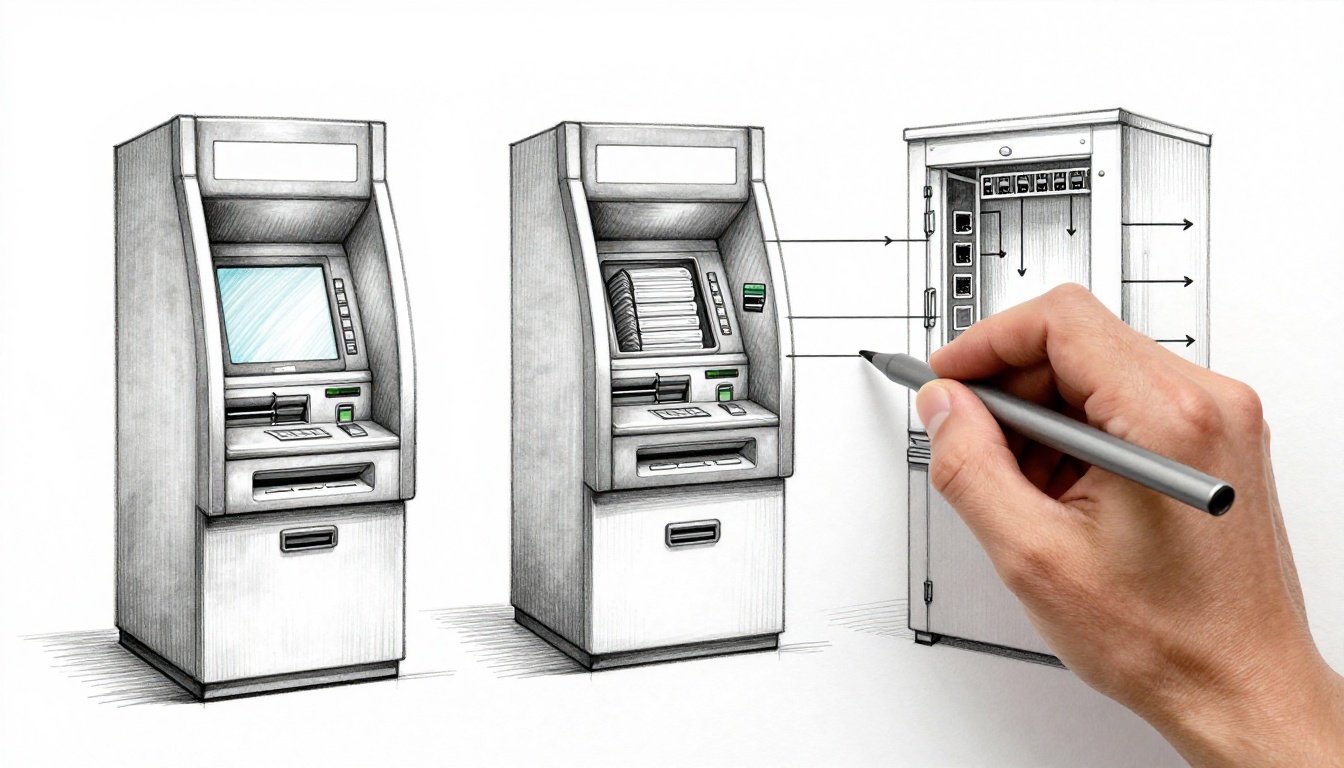
Ever rush to an ATM late at night, because you need cash now? One moment it’s just a machine. The next, it spits out bills like magic.
But there’s nothing magical about it. How ATMs work behind the scenes is a tight teamwork of hardware, software, and security checks that happen in under a minute.
In the sections below, you’ll see what’s inside the ATM, what the transaction flow looks like, and why the system keeps going even when something goes wrong. You’ll also spot a few 2026 trends that are changing the way ATMs help customers.
The Hardware Powering Your Local ATM
An ATM is basically a high-tech vending machine for cash. You pick an amount, it dispenses bills, and it records the transaction. Under the metal shell, though, you’ll find parts that each do one job well.
A helpful way to picture it is to think in layers. The front layer handles you (card, screen, PIN). The middle layer moves physical money. The back layer connects to banks and protects cash storage.

Most ATMs include:
- Card reader: it reads chips (EMV) or magnetic stripes.
- PIN pad: it captures your PIN securely, with protections against tampering.
- Display and key area: it guides you through choices and shows prompts.
- Cash dispenser: this is the money-moving system.
- Receipt printer: it prints receipts when you choose.
- Internal computer: it acts as the ATM’s brain.
- Secure vault: it stores cash and sensors tied to alarms.
- Network modem (or similar link): it sends approvals and requests over secure connections like cellular or internet.
There’s also a real-world cash supply chain behind the scenes. Armored teams restock cassettes with counted bills. They also update records so the ATM knows what it can safely dispense. For an extra “inside the box” look at how hardware and software fit together, see Inside the Box: Understanding ATM Hardware and Software.
How the Cash Dispenser Counts and Delivers Your Money
The cash dispenser is the part you’d want to watch if you could. Bills do not slide out randomly. Instead, the system feeds one bill at a time, then tracks what it just released.
Inside the dispenser, cash is stored in cassettes. Each cassette typically holds bills of one denomination, like $20s or $50s. When you ask for a specific amount, the ATM chooses a bill mix that matches what it has.
Here’s the simplified path:
- Motors and belts move bills from the correct cassette.
- Sensors verify the bills as they travel.
- The ATM counts the bills to match your chosen amount.
- A guided delivery area pushes the counted bills into the tray.
That “sensor + count + feed” loop is a major reason ATMs are reliable. If a bill doesn’t pass the sensor path, the ATM can stop early and raise an error. That helps prevent short payouts and reduces jam risk.

Think of it like a printer feeder, just for cash. It’s designed for control, not speed. And that control matters when the ATM must hand you an exact amount.
The Secure Vault and Restocking Process
The vault isn’t just a locked box. It’s part of the ATM’s safety design. Most ATMs use heavy-duty enclosures with locking systems and alarm triggers. If someone tries to force access, the machine can alert staff and monitoring services.
From a user perspective, the vault stays hidden. From an operations perspective, it runs your cash availability. When the machine needs more bills, professionals restock it with a careful process:
- They open the secure vault access points.
- They load cash into the dispenser cassettes by denomination.
- They count or confirm inventory so the ATM’s records match reality.
- They test key functions and close the machine again.
Restocking is also why you sometimes see an ATM out of service. If the dispenser runs low, the ATM can stop dispensing to protect accuracy. Then a refill gets scheduled.
In recent years, some machines also use cash recycling. In those designs, deposits can be sorted and reused. That reduces how often operators must haul cash, and it can cut downtime between fills.
Step by Step: What Happens During Your Cash Withdrawal
Now let’s walk through a full withdrawal, the way the machine experiences it. You start with one action. Behind the scenes, the ATM runs a sequence of checks and messages.

Here’s the usual flow:
- You insert or tap your card. The card reader captures card details.
- You enter your PIN on the PIN pad. The ATM reads it in a secure way and applies retry rules.
- You choose the amount on screen. The ATM checks what denominations it currently has.
- The ATM requests approval. It encrypts the transaction details, then sends the request to a payment processor.
- The processor routes to your bank. Your bank checks your funds and account status.
- Approval comes back quickly. The ATM receives a yes or no response.
- The ATM dispenses cash. Sensors count bills as they move from cassette to tray.
- It prints a receipt (optional) and returns your card. Then you’re done.
Most withdrawals feel instant. In reality, the machine repeats fast steps, then waits for approval during the network part. Still, the whole job usually finishes in about a minute.
For a customer-friendly view of what you see, How to Use an ATM: A Guide matches the prompts most people recognize.
The Quick Chat Between ATM, Processor, and Your Bank
The “talk” part of a withdrawal is where security matters most. The ATM cannot just send your PIN in plain text. It must scramble data so attackers can’t read or reuse it.
A typical message path looks like this:
- The ATM collects card data (chip or swipe data), your PIN entry, and the requested amount.
- The ATM encrypts the sensitive parts before sending them out.
- The message goes to a payment processor, which acts like a middle route manager.
- The processor forwards the request to your bank.
- Your bank checks balances, limits, and other rules.
- The bank sends an approval or decline back through the same path.
Encryption is what makes that “middle” leg safe enough to trust. If someone tried to intercept messages, the data would be unreadable without keys. That’s why ATMs rely on secure connections and strict message rules.
Smart Software, Ironclad Security, and Error Recovery
If hardware is the body, software is the conductor. The internal computer coordinates everything you asked for, plus the checks you never see.
The software decides:
- Which screen prompt to show next
- When to read the card or PIN pad
- Which cash cassettes to use
- When to start dispensing
- When to print and when to stop
- What to do if something looks wrong
It also handles updates. Banks and ATM operators can push changes over time. Those updates may improve fraud detection, fix edge cases, or add compatibility for new card systems.
On the security side, ATMs use multiple layers. Encryption protects data in transit. Hardware sensors and physical design protect the cash and reader area. Software locks down PIN attempts and logs actions for troubleshooting.
Meanwhile, the vault uses alarm-linked controls. If someone tampers with access, the system can alert staff. If the ATM detects abnormal behavior, it can stop the transaction.
When errors happen, the ATM tries to fail safely. For example:
- Low cash can trigger an “out of service” message.
- Bad PIN attempts can hold your card or restrict access after limits.
- Bill jams can trigger sensors and alert maintenance teams.
- Network issues can lead to a “try again later” outcome.
A good ATM doesn’t just fail. It records enough detail for technicians to fix the issue faster.
For deeper context on logical security requirements, this NCR Atleos logical security best practice PDF explains how layered protection helps defend against attacks.
Top Security Tricks Keeping Thieves at Bay
Modern ATMs face two big threats: stealing your data, and taking physical cash. So the machines use more than one defense at a time.
Here are common security tricks you’ll often see in newer deployments:
- Anti-skimming shields: the card reader area can include designs that make it harder to attach fake overlays.
- Cameras and monitoring: video helps with investigations and deterrence.
- PIN protections and lockouts: multiple wrong PIN tries can lead to restrictions.
- Encrypted data handling: transaction details are scrambled before leaving the ATM.
- Tamper alarms: vault access and housing intrusion can trigger alerts.
- Bill sensing during dispense: the ATM can detect if bills aren’t moving correctly, then stop safely.
Even if you never think about these parts, they work every time someone inserts a card. Security systems also keep improving as fraud patterns change. If you want a broad overview of ATM security features, check Security features of ATM – ATMeye.iQ.
What’s New in ATM Tech Shaping 2026 and Beyond
ATMs aren’t standing still. Recent US-focused trends point toward more personal help, more cash flexibility, and more fraud resistance.
For one thing, demand keeps growing. Recent surveys of bank pros report higher ATM usage and increased attention to cash deposit services. In addition, many operators want ATMs that handle more than just withdrawals.
Second, customers want faster options. Contactless is a big theme. Many banks plan or expand NFC and QR-based options for cardless or simplified access. That means fewer steps, and it can reduce wear from repeated card insertions.
Third, ATMs keep adding “extra help” through remote or interactive features. More locations are using interactive teller concepts (often called ITMs or “super-ATMs”), where video support can assist customers instead of forcing a trip inside a branch.
Finally, software is getting smarter. Recent write-ups about self-service banking improvements describe AI used for cash prediction and customer menu choices. The idea is simple: choose the right flow based on what customers do most, and keep cash ready where it’s needed.

Biometrics are also showing up more often. Fingerprint or other verified access can reduce PIN exposure. In a world where attackers try to trick people or read inputs, biometrics can add a layer of confidence. Of course, the machine still needs strong security around how it stores and checks biometric data.
And cash recycling keeps gaining traction. When a machine can reuse deposits, operators don’t have to refill as often. That can mean fewer empty machines and less downtime.
If you want a look at industry viewpoints on where ATMs may be headed, see ATMIA 2026 Event Recap: Key Trends Shaping the Future of Self-Service Banking. It highlights themes like personalization, contactless options, and evolving kiosk roles.
Conclusion
So, the next time you tap your card and grab cash, remember what’s really happening. Hardware feeds and counts bills while software coordinates the whole transaction.
At the same time, security works quietly in the background. Encryption protects the exchange with your bank, and multiple physical defenses help stop tampering. When something goes wrong, the machine logs details and tries to fail safely.
Want a simple way to appreciate it on your next visit? Watch the moment between your PIN entry and the cash tray. That short pause is your bank approval traveling through a secure path, then triggering precise cash movement.
Next time you’re at an ATM, think of this behind-the-scenes action.
FAQ: How often are ATMs restocked?
Restocking depends on the location and cash demand. Busy ATMs can get refilled daily or more often, while slower ones might be refilled weekly or every few days.
If you want more tech breakdowns like this, keep reading and share this with someone who’s ever wondered what “the inside” looks like.